Try Spotify now, no sign-up needed
Spotify · Artificial Intelligence Tools for Spotify
For anyone who curates playlists, records a podcast, or promotes their music: the cover comes out square, measured, and within the file size Spotify accepts, and you choose the name and description from ideas grouped by formula. We don’t touch your account: we produce the file and the text, and you apply them yourself.
In the features that use AI, responses are generated by artificial intelligence and are not a substitute for professional advice.

您的簽名檔在客戶的手機上跑版,轉寄時標誌也不見了嗎?
這涉及四件幾乎所有產生器都不考慮的事。Gmail 的簽名框是視覺編輯器:如果您貼上原始碼,客戶就會看到標籤,因此複製按鈕寫入剪貼簿的是格式化內容,而不是 HTML 文字。Gmail 會把樣式表、class 與外部 CSS 丟掉,所以簽名檔以表格、行內樣式與像素尺寸排版,不使用 flex、網格或背景圖片。標誌必須放在絕對公開的網址上,否則一旦有人轉寄郵件就會消失,而且需要兩次宣告寬度,並附上兩倍大小的版本以適用於 Retina 螢幕。而 Gmail 的深色模式只會部分反轉顏色:純白背景或純白文字在一半的信箱中看起來很糟。在這裡,差異不在 AI,而在對媒介的了解:伺服器建立 HTML、測量每個強調色在白色與 Gmail 深灰色上的實際對比、重新讀取標誌檔案以確認其真實尺寸,並另外提供行動應用程式簽名檔所需的純文字版本。會過期的內容,會在畫面上標示為未驗證,並附上版本與日期。
See the tools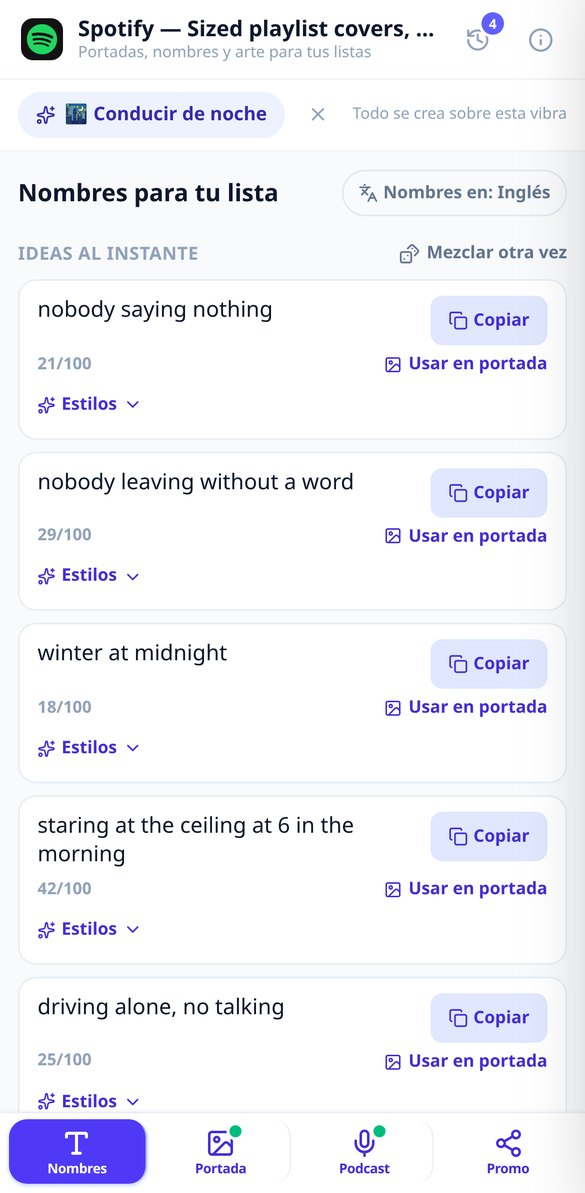
Discover every feature in detail
AI Name Generator for Spotify Playlists
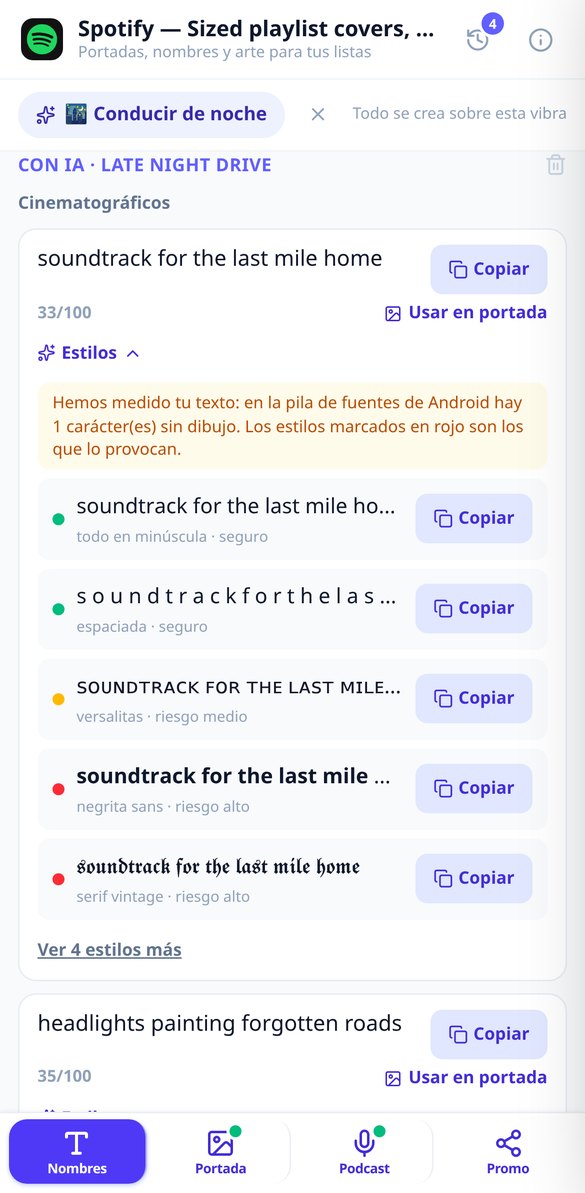
Name generator for your Spotify playlists: 15 ideas per batch in three formulas (cinematic, hyper-specific, and one-word), no generic names, and a controlled limit of 100 characters.
Try it free
Beautiful letters for Spotify: 9 Unicode styles for your playlists
Convert your Spotify playlist name to beautiful letters: lowercase, spaced, small caps, bold, vintage serif, and 4 more styles. Free, no registration, and warning which styles appear as missing-glyph boxes.
Try it free
Description for Spotify playlist: 3 texts with AI
Generate the description for your Spotify playlist: 3 variants of 1 to 3 sentences within 300 characters, in three tones, with the keywords that make you appear in the search engine and editable with a live character counter.
Try it free
AI playlist cover for Spotify (1000x1000)
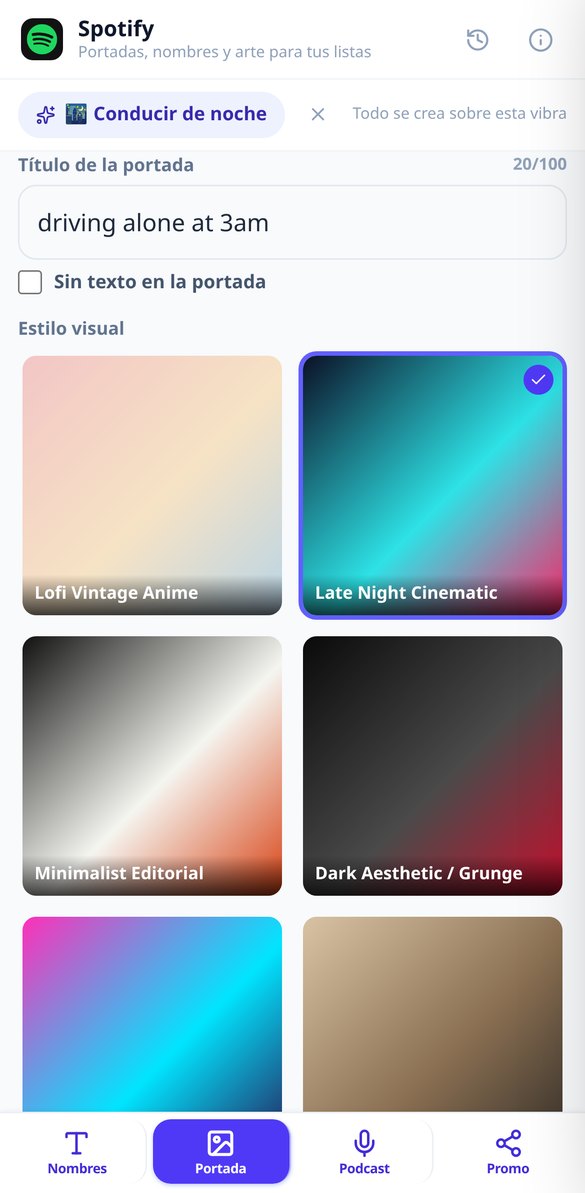
Create your Spotify playlist cover with artificial intelligence: choose style and palette, your title is composed separately for readability, and download a 1000 x 1000 JPEG ready to upload.
Try it free
Readable text on covers with AI for Spotify
The image model doesn't write a single letter: your title is composed in vector format, and the server measures luminance, variance, and real contrast to ensure it reads at 60 px.
Try it free
Spotify cover 1000x1000 in JPG with the correct weight
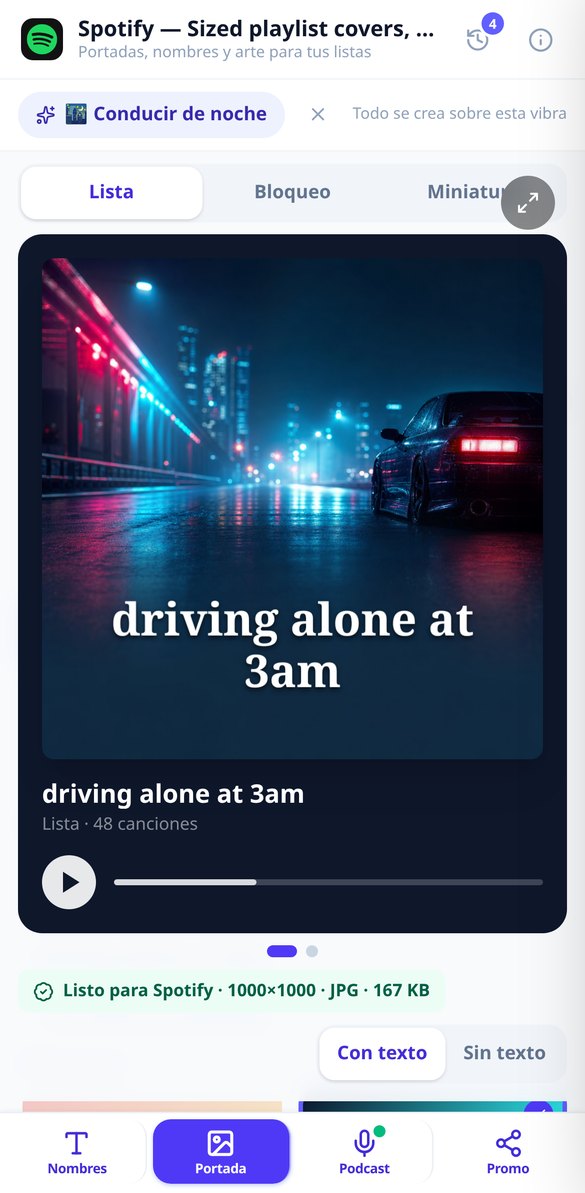
Each cover is 1000 × 1000 in JPG without an alpha channel and with iterative quality searching. The binary is then re-read: the badge shows the actual kilobytes.
Try it free
Convert my photo into Spotify cover art without AI
Upload your photo, adjust the framing, and download it at 1000 × 1000, JPG, without EXIF and with the file size that Spotify accepts. Real processing, without artificial intelligence.
Try it free
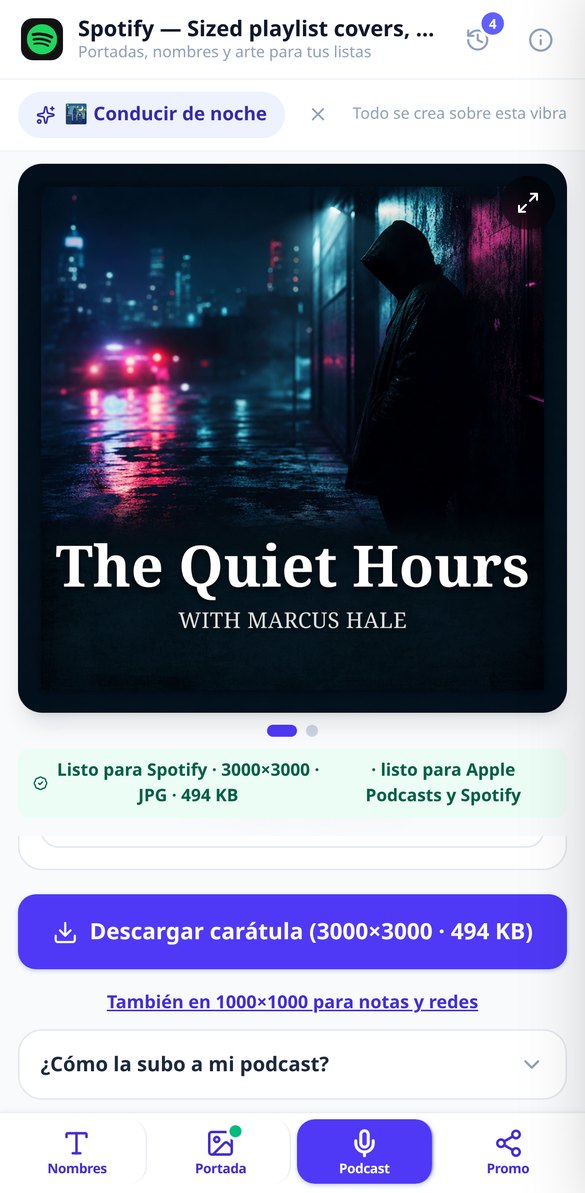
Podcast cover art 3000x3000 ready for RSS feed
Create the master cover art for your podcast at 3000 × 3000 in strict JPEG and RGB, with a safe margin and sharp text. The file is measured before delivery.
Try it free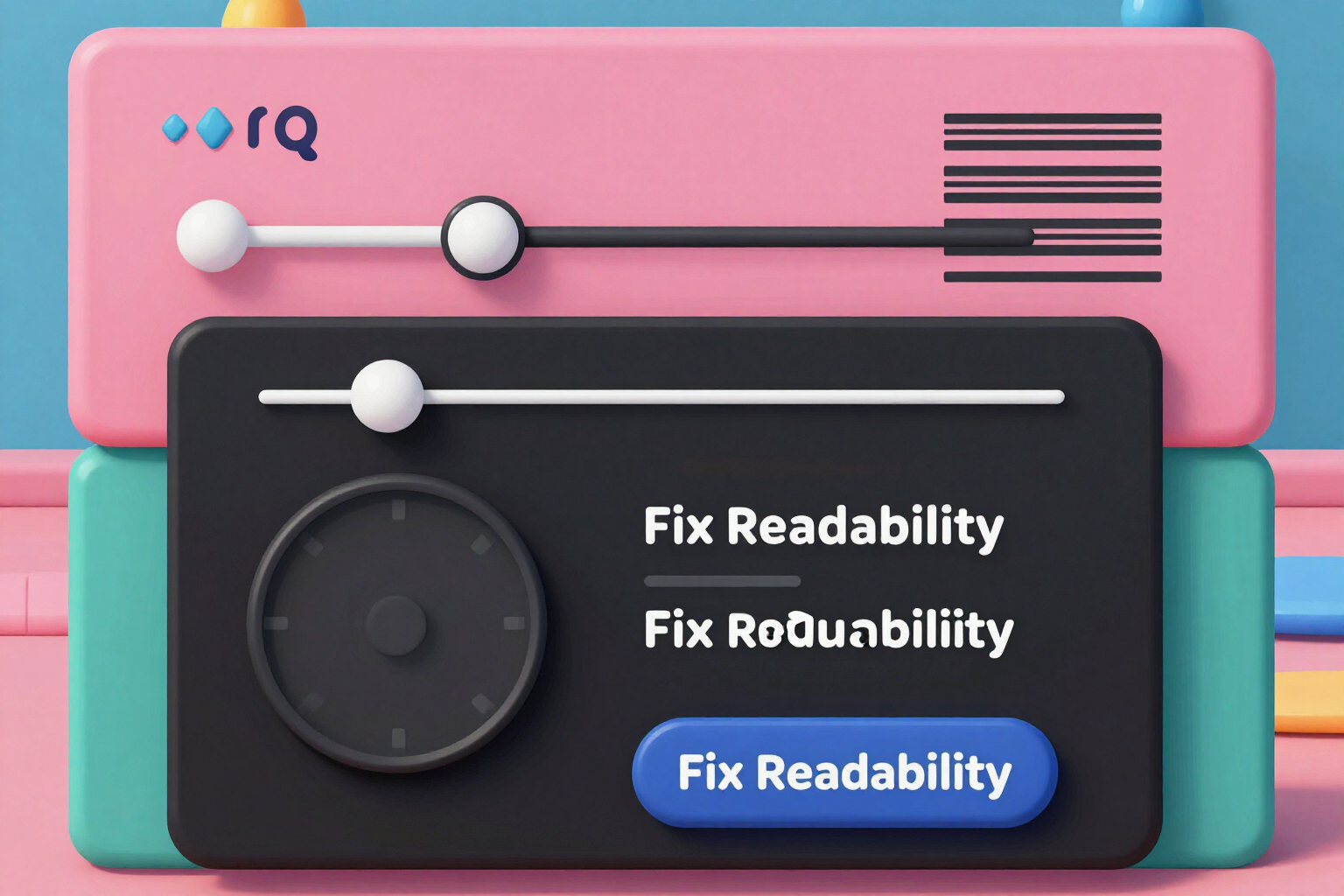
Check if your Spotify cover art reads well in thumbnail
Thumbnail test with measured verdict: real contrast under the title, projected stroke weight at 60 px, and word count. Slider to view it at 60 px and free readability adjustment, without regenerating the art.
Try it freeThree tools and one unbreakable rule
四項中有三項不呼叫任何 AI:它們即時計算、不需帳號,也不收費。AI 只用在能發揮價值的地方,也就是撰寫開發信。
Playlist cover studio, measured in the binary
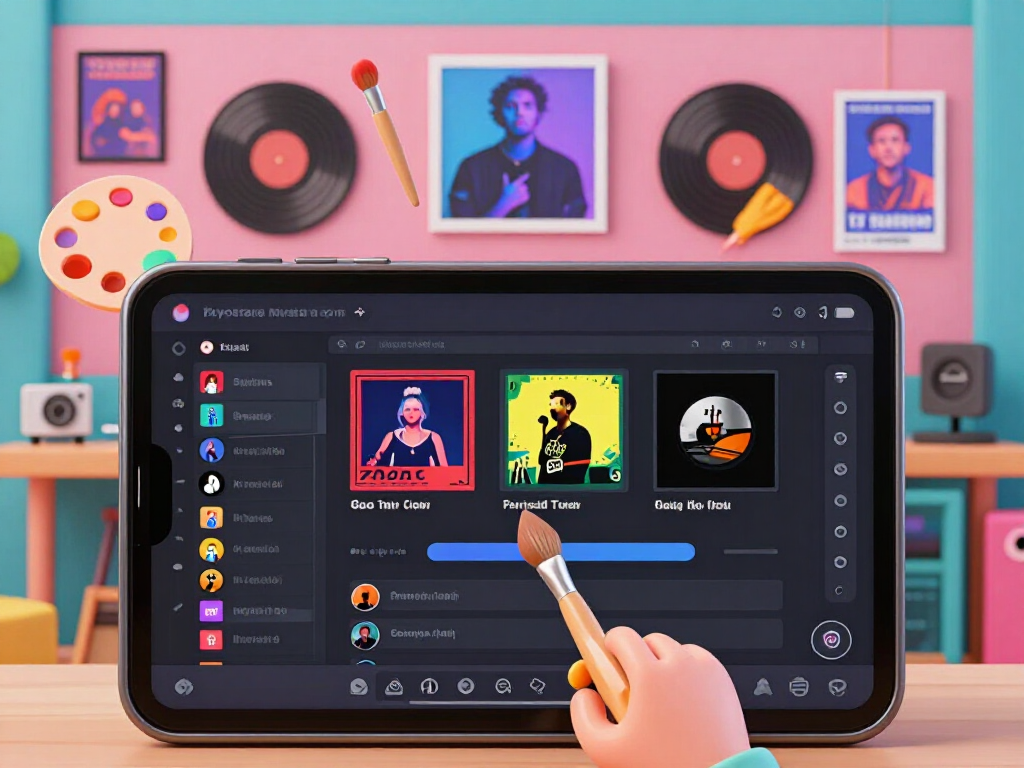
You choose a vibe, a visual style, and a palette, and the cover comes out in a 1000×1000 square as a JPEG with your title composed by the server. The readability treatment isn’t chosen by eye: the average luminance and variance of the background directly behind the text are measured to decide between shadow, outline, or box; it is composed, contrast is measured again, and if it falls short, it goes up a level and is recomposed. Then the binary is read back and the badge shows the actual dimensions, format, and file size of your file. You also get the text-free version of the same art at no cost, three simulators to see it exactly how it will really look —in the playlist, on the lock screen, and at actual thumbnail size— and a “Fix my photo” option that, if you want your own image, crops it square, scales it to 1000 pixels, strips the EXIF —the culprit behind photos showing up rotated— and delivers it as a measured JPEG; if you give it an iPhone HEIC, it doesn’t silently swallow it: it tells you what it is and how to share it as a JPG.
Names, font styles, and descriptions that people search for
Fifteen name ideas per batch, grouped into three formulas —hyper-specific scenario, one-word, and cinematic— because the value isn’t in quantity; it’s in understanding why a name works; a server-side filter discards the generic ones nobody saves. Before that, tapping a vibe already gives you eight ideas on screen without pressing a thing and without signing up. Any title, generated or written by you, is instantly converted into nine aesthetic font styles —five featured: lowercase, spaced, small caps, bold, and fraktur— and each style carries a risk level across three levels: we warn you about the ones that show up as empty squares on car screens and some Android devices, but we don’t block you. The counter counts by graphemes on the variant you’ve chosen, which is the detail where letter converters fail. And the description comes out in three variants within the character limit, with the keywords it has incorporated into the preview, because Spotify’s internal search indexes them. The vibe starter, the idea bank, the font styles, and the counters work without signing up.
Podcast covers with a measured thumbnail test
The master comes out at 3000×3000 RGB —the maximum of the range directories require— with a safety margin around the edges, the title rasterized at final resolution, and the file size tuned through an iterative quality search so no RSS validator complains. The thumbnail test is the core: the verdict is calculated by measuring actual contrast, stroke thickness projected to 60 pixels, and the number of words, and it tells you the specific cause when it isn’t readable. If it comes out amber or red, “Fix readability” recomposes with sharp without regenerating art and at no cost. You also get the 1000×1000 version for episode notes and social media, measured separately, and per-episode art reuses the show’s background: making the piece for episode twenty doesn’t use a single artificial intelligence generation.
From vibe to file in three steps
選擇工具
簽名檔、開發信、篩選器或範本。如果您是為了特定需求而來,就會直接進入該工具;三項確定性的工具不必註冊即可使用。
填寫您的資料
填寫簽名檔的聯絡資料、篩選器要解決的問題,或您想稽核的郵件。不需要冗長的提示詞:細部工作由伺服器完成。
複製、貼上或匯入
複製含格式的簽名檔並貼到 Gmail 的簽名框,下載 mailFilters.xml 並從「設定」匯入,或取走已稽核完成的範本與郵件。我們任何時候都不會動您的信箱。
Frequently Asked Questions
Latest blog articles
Guides and news to get more out of it
Spotify Wrapped 2026: prepare your playlist covers before the peak in December
Wrapped 2026 arrives in December: check the square cover in JPEG, the thumbnail test at 60 px, and the consistency of your Spotify profile.
How to Write the Name and Description of Your Spotify Playlist to Get Found (2026 Guide)
Real character limits, naming formulas that get saves, and how to write your Spotify playlist description without sounding like spam.